"Once again, these features are available now and you can start using them today."

Reading through an AWS Official blog post today I was struck by the power of the closing statement:

Once again, these features are available now and you can start using them today.

We have become used to continuous change that we forget how profound a statement it is.

For much of my working life I’ve lived through the era of packaged application deployment. Hundreds and thousands of devices, running hundreds of applications with each needing to be updated individually. These updates required terabytes of storage and gigabits of network bandwidth.

Changing a large application required weeks of planning and protracted project timelines. Only then would devices join the network and receive the required updates, even so success rates were variable, at best.

These changes were so massive that organisations would only do a few a year.  The organisational impact of moving any faster was just too high, you would want to finish one before you started the next one.

The move to Software-as-a-Service and Utility Services enables a world of continuous change. It’s no longer valid to talk about version x.y of something when it’s different every day.

Organisations can stop worrying about the impact of change and focus on the value of change.

The post itself is about an impressive set of enhancements to Amazon’s WorkSpaces offering, but the real power is in the ability to deliver the benefits without friction and without protracted deployment projects.

“start using them today” are very powerful words for organisations seeking to keep up with the competition.

Acronyms: PDA

PDA: Personal Digital Assistant

I thought this acronym had gone to the acronym retirement village sitting next to its relative PIM (personal information manager). I thought that PDA was a term only used when talk about the past, but recently someone used it when talking about current technology. This got me thinking, when did we stop talking about PDAs?

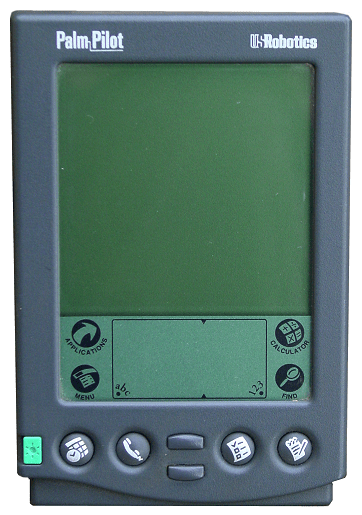
I never really got into the Palm Pilot or any of its siblings. I did plenty of fiddling around with them in support of other people using them though. These were the first PDA for most people:

I also did some fiddling around in support of HP Jornado devices. Windows CE was such an interesting operating system but it wasn’t that engaging:

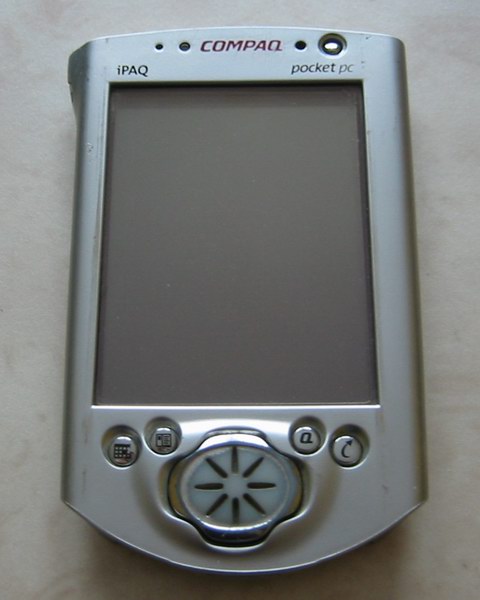
My first PDA was a Compaq iPaq which is still in the legacy device museum in the garage; it won’t boot and its battery is dead.

I didn’t buy it because, at the time, I was a father of two young children – I won it at a conference. It was such good fun to try to synchronise it with cc:Mail:

None of these devices was an out-and-out success and they were all blown sideways by the first iPhone; the iPhone 3 blew them away completely with each one leaving the field soon after its release.

The device that survived for a little while longer were a series of Blackberry devices, my favourite was probably the Blackberry Bold 9000, but I don’t ever remember calling this a PDA:

Jimmy does BlackBerry

Blackberry had little chance against the iPhone; when Android was purchased and subsequently release by Google it delivered a bullet wound from which it is still on intensive care but is highly unlikely to recover.

I’m currently carrying around both an iPhone 5S and a Samsung Galaxy S4 Mini – I definitely don’t call either of these a PDA. The current smartphones are nearer to the initial vision of the personal digital assistant than anything that has come beforehand, but we’ve moved on. We’ve retired the acronym before it came to fruition, or so I thought? Perhaps we should go retrospective and bring it back?

Office for Mac 2016 Preview

In my earlier post – The Return of Microsoft Office – Appearing Everywhere – one of the pieces I thought was still a bit weak was the story around Mac.

Mac’s are increasing in popularity in both the business and consumer and the current version of Office for Mac dates back to 2011. Some elements have been added to this story in the interim – like OneNote for Mac – but the major components have changed little.

Last week Microsoft announced a preview of Office for Mac 2016. Although named 2016 it looks like the timeline is really mid-2015.  It’s interesting to note that this is ahead of the Office 2016 variant for Windows.

Microsoft has always struggled a bit with the look-and-feel of the Mac version of Office – the desire to deliver a standard Office experience hasn’t always aligned with desire to give a Mac consistent experience.  This, again, seems to be one of the major focusses of this release using the taglines: “Unmistakably Office” and “Designed for Mac”

Office for Mac 2016

The third major tagline is: “Cloud connected” which won’t be a surprise to anyone and links back to the strategic play I outlined in my last post.

Microsoft – Productivity Future Vision (2015)

Over the years Microsoft have produced a number of videos to portray a vision of the future. The previous ones were in 20092011 and 2013, so I suppose it makes sense that they have published one in 2015.

Below is the latest one, with a further information here. The dominant perspective seems to be screens – screens on wrists, screens in hands, screens on tables, screens as walls, flexible screens. I suppose the problem with portraying the future of data is that it doesn’t work too well on video, but there is a huge amount of data being shown on the screens.

(There’s a scene in it where someone is driving along in an open-top Jeep,  when I was expecting Dinosaurs to come in from the side Jurassic Park style).

The Return of Microsoft Office – Appearing Everywhere

Microsoft Office – Word, PowerPoint, Excel, Outlook. You use it on a Windows PC to do work on files on your PC, if you were brave you might also use it on your Mac, but that was that.

Well, at least that’s how it was, in 2012;  the world was changing though:

  • The Windows PC was moving out of the centre of people’s day-to-day experience being replaced by various mobile devices running Android and iOS.
  • Multiple cloud data stores where emerging and becoming popular – Dropbox, Box, etc.
  • Organisations were increasing collaboration outside the traditional organisation boundaries. The corporate WAN was no longer the primary focus.
  • Bring Your Own (BYO) was becoming a normal way of working.
  • Apple Mac’s were re-entering the corporate eco-system, partially driven by a desire to get some relief from overly prescriptive corporate control of the IT environment.
  • Cloud services for email and communications were becoming the norm giving massive amounts of inbox storage.

The result was that Microsoft Office was increasingly a bit-part player in people’s personal and corporate knowledge management infrastructure.

Then came the big switch to “mobile-first, cloud-first” and a set of strategic plays by Microsoft to replant Microsoft Office back at the centre.

History has shown that Microsoft is pretty good at these big switches.

First came the release of Office for iOS and Android, initially for Office 365 customers and then for everyone – free. Including OneNote and integration with Lync, and OneDrive for Business.

Secondly comes the co-opting of the other storage services, starting with Dropbox. Now you can store your Office files directly into Dropbox on your mobile device; also you can edit your office file directly in Dropbox through the browser.

Extending OneDrive for Business even further Microsoft releases a client for OS-X and provides an integrated personal and business experience on iOS, having previously made the same integrated experience available for Android.

Then Microsoft extends the attractiveness of OneDrive (personal) by giving away 100GB (for 2 years) to existing Dropbox customers.

Recognising that their mobile applications for mail and calendar aren’t the market leaders Microsoft purchase what some regard as the market leaders. They then, in rapid time, re-brand the Outlook app and release it to the market.

Then Microsoft co-opts another set of storage services including iCloud, Box, Citrix and Salesforce. Citrix, Salesforce and Box are particularly interesting because they target their storage services at enterprise customers.  The reach of the Microsoft Office eco-system extends.

Looking to make sure that the next generation of workers regard Microsoft Office as the natural way to do business Microsoft makes Office 365 Personal available, for free, to students globally. This includes 1TB of OneDrive storage, so why would you even think about using Dropbox with its tiny storage allocation.

Notice how they’ve done all of this without the need for slow corporations to deploy and adopt large packaged applications. In essence, they’ve left those lumbering giants behind leaving them to catch up in their own time.

The simple reality is that there are now millions of people who, again, interact with Microsoft Office all day every day. Microsoft Office is making a return to the centre of people’s personal and corporate knowledge management and productivity eco-system. Microsoft is able to do this without the need for millions of slow-moving corporate IT organisations to do anything. Microsoft get to control their own destiny and to move at cloud speeds.

Like I said, history shows that Microsoft is pretty good at these switches.

AWS Config now with ServiceNow Integration

Amongst the list of reasons why the cloud is the place to host an application is the ability to dynamically provision and stand-down resources. That very dynamism leads to one of the challenges of any cloud implementation – resource tracking and configuration management.

Yesterday Amazon announced that AWS Config (which had previously been announced in November 2014) was moving out of preview.

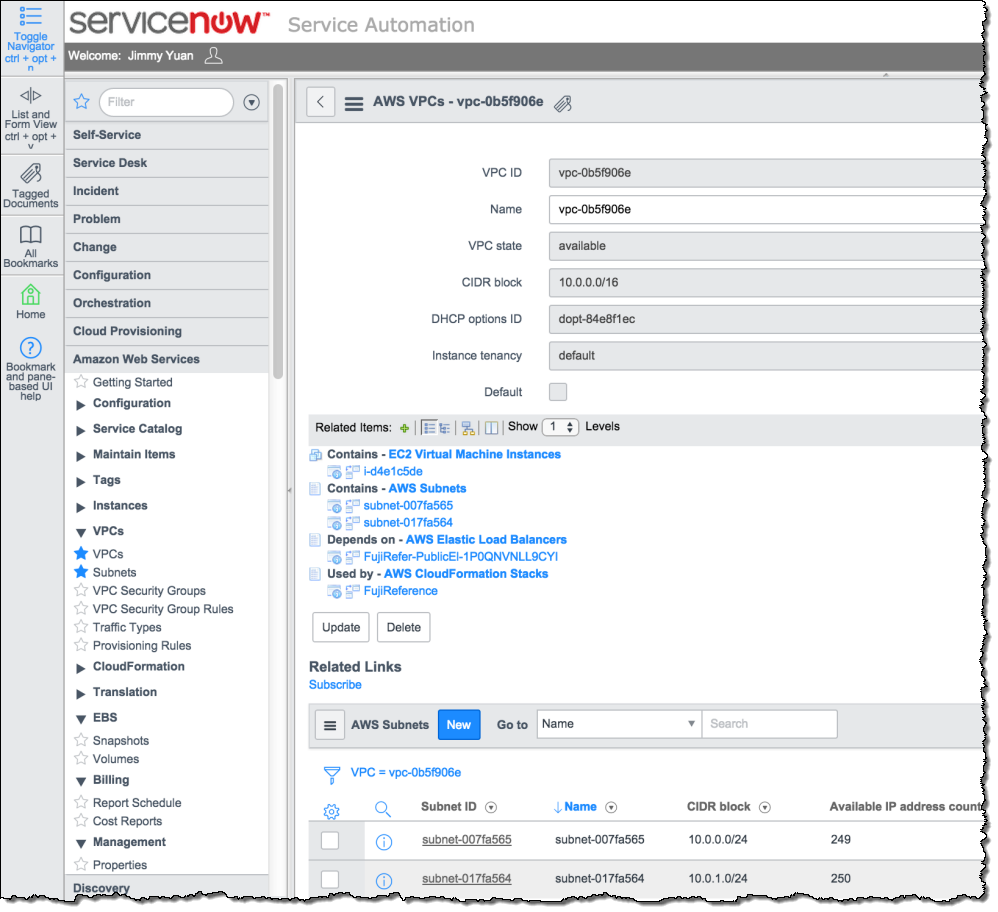
AWS Config tracks and records the configuration changes, but most organisations already have a repository for integrating configuration across the business and they don’t do 100% of their activity in AWS. For many that integration point is ServiceNow’s Configuration Management (CMDB) and yesterday ServiceNow announced that they have integrated AWS Config into ServiceNow Configuration Management.

AWS Partner ServiceNow provides a comprehensive solution for enterprises to manage services deployed in the Amazon cloud. ServiceNow integrates AWS Config with the ServiceNow CMDB, and allows you to manage usage and costs of your AWS resources at the application, service, and cost center levels.

It’s another step towards AWS being completely embedded into normal business operations:

Roads, Trains and Telecoms: UK Public Sector Telecoms Map

As part of its ongoing digital agenda the UK Cabinet Office has published a set of interim maps of the UK Telecoms infrastructure:

Last summer we launched a review into the digital and telecommunications infrastructure owned or leased by the public sector to help us take full advantage of existing capacity.

Today we are publishing the initial results of this landscape review. These maps and data are a first step into increasing transparency and setting out how we will use our publicly-owned networks more effectively. In the past hundreds of millions of pounds of taxpayers’ money was spent building these networks – this Government believes they should be put to full use for all the public.

This is a great opportunity. We want to take full advantage of this existing capacity, avoiding wasteful duplication when buying additional resource. Government should be transparent and joined-up. This review is another step in that direction.

These maps show a significant infrastructure spanning much of the population of the country. There are, however, significant gaps for the rural community.

The change in UK Public Sector attitude to open data has been dramatic in recent years. I love the idea that sits behind publishing these maps and the data that goes with them; by making the information available the government are saying “This is a great opportunity” and what an opportunity it is. There are hundreds of miles of fibre running along our major roads. There is significant spare capacity on fibre running beside thousands of miles of railways.

Opportunities like this:

There’s obviously all sorts of limitations to how far you can exploit these critical systems, but at last we are starting the conversation:

Public Sector Telecoms Map

VMware continue to step away from Cisco

They used to be such close friends Cisco and VMware, getting together (along with EMC) to create a baby and calling it VCE. Each one brought its own things into the shared flat, Cisco added some lampshades, VMware added some crockery. EMC contributed a nice set of shelves.

Over time VMware grew tired of those Cisco lampshades, it wanted to have newer sleeker goods. The three-way relationship wasn’t really working; three was definitely a crowd. By now, though, property was spread across the flat and the breakup wasn’t going to happen over night.

A little while ago custody of VCE was decided when, by mutual consent EMC and VMware became the primary parents.

The flat still needed cleaning out though.

Yesterday VMware handed a spare lampshade back to Cisco by ceasing to sell the Nexus V1000:

VMware has decided to no longer offer Nexus 1000V through VMware sales or sell support for the Nexus 1000V through the VMware support organization as of Feb 2nd 2015.  We want to reiterate that this has NO IMPACT on the availability and associated support from Cisco for the Nexus 1000V running in a vSphere environment.  Cisco will continue to sell Nexus 1000V and offer support contracts. Cisco encourages customers who are currently using VMware support for the Nexus 1000V to migrate their support contracts to Cisco by contacting their local Cisco Sales team to aide in this transition.

Cisco still regards VMware as a friend, but things can be a bit awkward with a former partner.

Windows 10: Long Term Servicing Branches

Enterprises are, mostly, a cautious lot – just look how long it took to build momentum to move away from Windows XP.

(Some are so cautious that they are still running Windows XP which is an ironic thing because that has to be far more dangerous that running Windows 7)

Having mainly focussed on the consumer story up to now, Microsoft are starting to build out their Enterprise story for Windows 10.

One of Microsoft’s commitments with Windows 10 is that they will be moving towards Windows as a Service as part of this:

Rather than waiting for the next major release, Microsoft will provide new features and functionality and deliver security updates and critical fixes on a regular basis.

That doesn’t necessarily excite an Enterprise IT organisation, for some that’s a scary thought. One of the things that they have announced are Long Term Service Branches:

Many consumers today expect their devices to receive ongoing feature updates without having to take an action. However, we understand that businesses require more control in how updates are delivered, and at what pace.

For example, systems powering hospital emergency rooms, air traffic control towers, financial trading systems, factory floors, just to name a few, may need very strict change management policies, for prolonged periods of time. To support Windows 10 devices in these mission critical customer environments we will provide Long Term Servicing branches at the appropriate time intervals. On these branches, customer devices will receive the level of enterprise support expected for the mission critical systems, keeping systems more secure with the latest security and critical updates, while minimizing change by not delivering new features for the duration of mainstream (five years) and extended support (five years).

In simple terms, you will be able to choose to get automatic updates at the consumer pace, or at the business pace. But, whichever branch you are on you’ll still get security updates at the same pace.

There will be many IT organisation who are breathing a sigh of relief at that news, I just hope that they choose to use it wisely and still give those people in their organisation who can move quicker the option to move quicker.

"You'll never believe what she did next?"

“Curiosity is lying in wait for every secret.”

Ralph Waldo Emerson

Have you seen any of these (they’re all real)?

  • You’ll Never Believe What She Did To Stop The Baby From Crying
  • You WON’T Believe What They Caught The Cashiers Doing
  • You’ll Never Believe What Happened When A Girl Did Gymnastics For A Dolphin.
  • You’ll Never Believe What The Parrot Did Next!
  • What This Man Did To His Attic is Unbelievable.
  • 8 Celebs Who Have Killed People
  • Wow! I can’t believe he just did that!
  • 10 Tips from the Pope for Becoming a Happier Person
  • Father is Shocked When He Discovers The Horrifying Letter from His Son
  • 15 Images You Won’t Believe Weren’t Photoshopped
  • Watch a Paddle Boarder’s Crazy Experience with Orcas in the Wild

YouTube has nearly half a million videos with “You Won’t Believe” in the title!

Each title is deliberately structured to poke your curiosity, many intend to turn you into clickbait.

George Loewenstein defined curiosity as a function of information gaps and our need to fill those gaps. A gap in the information that we know produces a feeling of deprivation that we label curiosity. That feeling of deprivation motivates us to fill the gap. The feeling of deprivation is created by the most basic inner workings of the brain. To be asked “did you see what she did?” is a powerful motivator because everyone wants to know what she did. The information gap can’t be too large though because that would be too much work to fill and our curiosity would slip away, it needs to be easily attainable. To be asked “did you see what she did?” is a relatively small gap for us and the addition of a link to a video that shows what she did makes for a very powerful motivator.

Type curiosity gaps into any search engine and you’ll get thousands of helpful articles telling you how to create post titles that will result in people clicking on your page (most of these articles also use the theory of curiosity gaps in their titles).

You are on the receiving end of all of this curiosity manipulation. Curiosity is a powerful thing, we can use it usefully, or we can spend our life clicking on pictures of cats.

“Curiosity is the most superficial of all the affections, it changes its object perpetually; it has an appetite which is very sharp, but very easily satisfied; and it has always an appearance of giddiness, restfulness and anxiety”

Edmund Burke

Thought Experiment: "Your conference will begin momentarily…"

You might call it day-dreaming; I call it a thought experiment.

This was the thought experiment for today.

When I called into a conference call that hadn’t yet started a friendly voice told me that “your conference will begin momentarily…”

How does the system know the call is going to start at all, let alone momentarily? Is this some form of advanced technology that is tracking the person who is opening the call? Of course it isn’t, it’s just the words that someone decided to use when they developed the system. It got me wondering though, what would it take for the system to know that a call was about to begin?

To start a call the person whose call it is needs to enter a set of numbers into a phone. So the imagined system needs to be able to predict that the person is about to enter the required numbers.

I suppose we need to be clear about what we mean by momentarily at the start. The point of using the word momentarily is, presumably, to encourage someone to stay waiting because something is about to happen. For that inducement to work it needs to be relevant, but it also needs to be far enough in advance for it to catch people who may drop off because they think the call isn’t happening. It take less than 15 seconds to type in the numbers to open the call, but personally I don’t think that is really long enough to be an inducement. Momentarily can’t be used as an inducement from the time that someone starts the typing of the access codes, it needs to be more predictive than that. My view of momentarily is that it really needs to be at least 60 seconds out. Ideally, of course, it really needs to be graduated – “why are you trying to join this call it doesn’t start for 30 minutes“, “you call will start in a short while“, “your call will start momentarily“, “your call will start in two-ticks“.

Sticking to momentarily for now, there is no single defined action that someone does predictably 60 seconds before starting a call, so we need to be able to predict what they are going to do. Predicting what people are going to do is notoriously difficult if we are trying to predict in general, but people are quite predictable in defined situations.

If someone is sat at their desk and looks at their calendar 60 seconds before the call I expect that we can be reasonably confident that they are going to do the next thing on their calendar. We’d need location tracking for starters. We’d also need eye tracking technology and the eye tracking would need to be able to recognise the information that someone is looking at. It would also need to be able to identify that someone has read the right content rather than just glance at it.

There are probably a whole load of other nuanced things that people do that make it predictable that they are going to join a call. What if someone looks at their calendar before starting a journey? What if someone finishes a call 2 minutes before the call starting? What about people who join a call at the same time every day/week/month? Perhaps we could look for patterns in the brain directly? Lots of further thought experiments there.

Our predictions don’t have to be 100% accurate either we are talking about an inducement after all, it’s a nice to have. Just to get something of low accuracy would need advanced and intrusive technology. I can’t image many people being willing to wear eye tracking glasses just so that others could know when their call was about to start.

If you could get predictions to be exact why not take the next step? If you know someone is about to do something why not do it for them? If you predicted that I’m about to open the call, why not open it for me? That would get you into another challenge though; if you are going to undertake an action for someone based on a prediction the predictions can’t just be correct in certain circumstances, they need to be exact in all situations. That takes us back to predictability in general which is remarkably difficult.

Does anyone else enjoy a thought experiment (day-dreaming)?

"My Email is a Monster" from The Oatmeal

You may like this cartoon:

From The Oatmeal