BYOD and Productivity Statistics

Last week I started a discussions about BYOD and Productivity because there are lots of people claiming increased productivity from BYOD.

Global RainbowIntuitively I expect this to be correct. Allowing people to work in a way of their choosing, using a device of their choosing, ought to result in better productivity.

Part of the discussion in my previous post was difficulty in defining what productivity was for many job types, but still there ought to be some statistics to support the declaration of ‘increased productivity’ even if it’s only in some example work types? There are, after all, lots of people already doing it.

Search Google for BYOD increased productivity statistics gets a lot of results (about 42,800,000), so lots to get my teeth into:

BYOD increases productivity, but IT departments need to be prepared – Computer Weekly (2013-08-02):

 “Today’s businesses need a smarter, more mobile approach,” said Fergus Murphy, marketing director, client solution, Dell Europe. “If an organisation wishes to remain in a very competitive market, it needs to open its mind and broaden its perspectives.”

The Evolving Workforce Research report found that nearly 60% of employees feel work would be more enjoyable if they had a say in the technologies they used, while 60% feel they would be more productive with better IT resources.

This news article highlights a report from Dell which isn’t directly linked to, but I think it’s referring to this one. This is a report based on a survey of employees. There is reasonably good evidence in these surveys that people feel more productive in a BYOD context, but are they, what is the evidence for it? I’m always a bit sceptical of drawing conclusions from surveys of people’s perceptions. Perceptions are such a poor measure of reality.

One of the things that I do like about this report is the focus on productivity measures moving beyond being simply a function of hours worked. Hours are such a poor measure of productivity if productivity is a measure of the ratio of inputs and outputs.

The Financial Impact of BYOD – A Model of BYOD’s Benefits to Global Companies (pdf) – Cisco IBSG Horizons

To help companies determine the current and potential value of BYOD, Cisco IBSG conducted a detailed financial analysis of BYOD in six countries. Our findings show that, on average, BYOD is saving companies money and helping their employees become more productive. But the value companies currently derive from BYOD is dwarfed by the gains that would be possible if they were to implement BYOD more strategically.

This report is also, mainly, based on survey material but it also integrates real world experience. It also creates a classification system for quantifying the benefits:

  • In different productivity areas (availability, collaboration, efficiency, new ways of working, avoided distractions, reduced downtime, and reduced administration)
  • At different levels of maturity (no BYOD, basic BYOD, comprehensive BYOD)
  • For different work types (mobile employees moving from corporate devices to BYOD, mobile employees moving from corporate-paid data plans to employee-funded plans, etc.)
  • And different cost pools (software, support and training, etc.)

As highlighted in a previous post we need to be careful with the term BYOD, especially when it comes to productivity, because it’s not primarily about the device:

It is important to note that productivity improvements come from the device and the software, mobile apps, and cloud services used on these devices. BYOD-ers highly value the ability to use the applications and services of their choice, rather than being limited to what their companies offer.

This statement links to an endnote:

The top overall reason for BYOD, “Can get more done with my own device and applications,” combines the attributes “I can get more done with my own device (it’s faster / better / newer)” and “I can get more done with the software / mobile apps.”

These are the overall statistics:

BYOD-ers save an average of 37 minutes per week with BYOD as it is currently implemented in their companies. The United States leads by far in terms of current productivity gains per BYOD user, with 81 minutes per week, followed by the United Kingdom at 51 minutes. In both of these countries, BYOD-ers posted impressive gains by working more efficiently and being more available to their colleagues and managers.

Most of this benefit comes in the form of improved efficiency.

There are a set of workers surveyed who gain significantly higher productivity benefits of more than 4 hours. The report also has some words of caution on productivity as the other end of the spectrum:

One-quarter of current BYOD-ers would rather have a company-issued device. Moreover, percent of BYOD-ers are very unproductive using their own devices for work. These “problem BYOD-ers” average more than four hours in lost time per week due to using their own devices for work. In India, China, and Brazil, about 20 percent of all BYOD-ers are problem users, twice the rate as in the United States, United Kingdom, and Germany. Because they lose so much time using their own devices for work, problem BYOD-ers in these countries have a negative impact on the overall productivity of BYOD.

The area that this report doesn’t really go into, which I find a disappointment, is the impact upon different work types even though it does state that it believes that the greatest value of BYOD will come from Knowledge Workers. The problem with the term Knowledge Worker is that it is such a broad one.

So some real statistics which are based primarily on surveys and hence perceptions, but interesting all the same.

One more to finish of this time:

I couldn’t leave the subject of BYOD without referring to at least one Infographic, of which the most popular one is, by far one from ReadWrite and Intel – here. This states:

74% of IT leaders believe “BYOD can help our employees be more productive”

and

57 minutes – The average amount of time reclaimed per worker per day in an Intel BYOD program

BYOD ProductivityThese two statistics are based on a report by Quest (now Dell) and Intel (pdf).

I’m not going to comment on the Quest (now Dell) report and the 74% figure because I’ve already commented on one Dell report.

Improving Security and Mobility for Personally Owned Devices – Intel February 2012

In this report it states this:

By the end of 2011, about 17,000 employees were using personally owned smart phones at Intel and saving an estimated 57 minutes per day – an annual productivity gain for Intel of 1.6 million hours.

Unfortunately there doesn’t seem to be much detail about how Intel came to this figure so it’s not clear whether these benefits were primarily seen by a particular set of work types or whether they encountered any of the concerns raised in the Cisco report.

Also, there’s a bit of a challenge with defining productivity in terms of time gained, because that just leads to the question, time gained to do what?

Like I say, intuitively BYO techniques should lead to improved productivity and there are some interesting productivity statistics to support it, but each one of the has its drawbacks. Why are productivity statistics important though? The reason, personally, that I’m interested is because BYO techniques come with challenges and risks. If you don’t know where the benefits are gained, you don’t know the most appropriate way to overcome the challenges or how to balance the risks. Also, I think it’s important, because if you know where the benefits come from you potentially have the opportunity to innovate beyond where others are already going.

I continue my search.

Evernote Image Search Brilliance

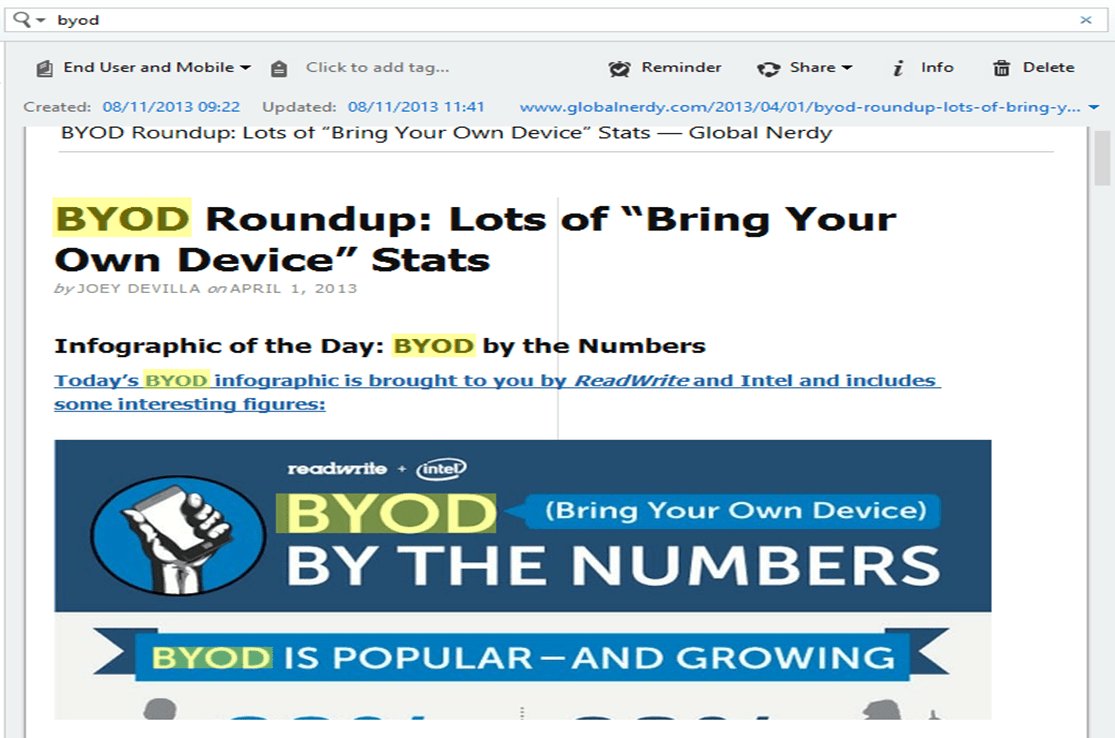
The other day I was searching Evernote when I noticed something really interesting about these highlighted results:

Evernote SearchAnything look interesting to you?

It might help to know that everything below the readwrite and intel symbols is an image and the two highlighted BYOD are in that image. Evernote indexed and allowed me to search the image highlighting where the text was found in the image.

This feature has been around for a long time apparently, but I’ve only just noticed it. How did I not know this?

The reality is, though, I nearly didn’t notice it this time either – it is so seamless. I love technology that just works.

If you want a bit more technical detail then this article might be a good place to start: How Evernote’s Image Recognition Works

BYOD and Productivity

In a recent post about Bring Your Own Device (BYOD) I wrote these words:
Ribblehead viaduct and goods train (a few weary walkers to)

The true focus of BYOD is not the D it’s the BYO. In order to accomplish what they are trying to do people are wanting to use what is familiar, what is flexible, what makes them productive and creative. The choice of device happens to be a tangible part of that, but it’s only a part.

I thought long and hard about that statement because I wanted to leave myself open to write a couple of more posts on the changing landscape of work. This is one of those posts.

One of the areas of work that is changing rapidly is the definition of productivity.

Productivity:

1. The quality, state, or fact of being able to generate, create, enhance, or bring forth goods and services.

2. Economics. the rate at which goods and services having exchange value are brought forth or produced.

So productivity is about goods and services, and the great thing about this definition is that anything can be defined as goods and services. But productivity is also, and just as importantly, about generation, creation, enhancement and bringing forth.

As an economic concept it’s about the ratio of outputs to inputs. In traditional manufacturing industries this definition leads to straightforward measures: the productivity of an organisation that produces widgets is measured by the number of widgets produced and the cost of producing those widgets. The productive organisation is the one that produces more widgets for a lower cost. There’s a whole industry built up around defining and measuring this kind of productivity.

In order to ensure that they are being productive, as a whole, organisations define measures of productivity within the component parts of the organisation. Some organisations push the measurement of productivity all the way down to the individual.

This is all still quite straightforward for traditional manufacturing organisations: how many door handles does Joe produce in an hour and how does that compare to Janet. But measuring productivity in a creative services organisation is far more troublesome. How do you measure the creative output of a graphic artist? How do you measure the output from a coder? If productivity is a measure of the ratio of inputs and outputs you need to be able to define them if you are going to improve them.

It’s these creative service organisation that are growing, particularly in the west. Also these are the organisations that are making the greatest use of BYO techniques. So productivity of these organisations is important and hence productivity of BYO is important.

People want to use BYO because it gives them improved productivity, but how do they know? How do you know what the best-in-class productivity approach is for an individual in a particular circumstance? How do you know if you are going to be more productive using iOS or Android? How do you know if you are going to be more productive using Evernote or OneNote?

Going further than the individual, how do you know what is the best-in-class productivity for a set of collaborative creative activities in a value chain?

Early in my career I had a manager who, for some reason I can’t remember, would write his memos in a spreadsheet (Lotus 1-2-3) on his home computer. He would bring the floppy disk in the next day and hand it to his administrator for formatting and printing. Because the formatting in the spreadsheet was so bad the Administrator would print out the raw material and retype it into her word-processor. He may have thought he was being productive by using his own tools, but his choice of tools dramatically impacted upon his Administrator’s productivity.

You might think that this is a ridiculous example in today’s world but I see many people chasing data that they can’t access because someone has processed and stored it in their choice of application and its associated repository.

I’m not advocating a return to the heavy-handed approach of one-size-fits-all that many IT organisations adopted (primarily because of an overbearing focus on cost rather than value). What I am proposing is that organisations should enable a BYO world with their eyes open to the new opportunities and new challenges that come with the change. BYO doesn’t mean a move to zero governance, it requires a move to different governance.

People want BYO not just a different D

There is a lot of talk around at the moment about organisations wrestling with people’s desire to use their own IT.

Tatton Park

This is generally framed as a Bring Your Own Device (BYOD) discussion.

I was reading through some advice published by the UK CESG yesterday on End User Device Security and Configuration. This advice includes some comments on BYOD:

Whilst enterprise ownership of a device makes many information security aspects much simpler, it is not a prerequisite of this guidance. What is necessary is that the device is placed under the management authority of the enterprise for the complete duration it is permitted to access OFFICIAL information. Hence, a BYOD model is possible – although not recommended for a variety of technical and non-technical reasons.

To ensure information security when using devices not owned by the enterprise, the enterprise must take control of device management at the point of provisioning, ensuring that the device is placed into a ‘known good’ state prior to allowing it to access OFFICIAL information. Limitations of current technology mean that a ‘health check’ or ‘device status’ check is not sufficient to verify ‘known good’ – malware can easily subvert such a check. Instead the device must be returned to an understood state such as via a firmware reinstall or wipe to factory state and any existing configuration on it replaced. It is only by taking over the enterprise management of the device that an organisation is able to ensure that information security policies are being applied.

End User Devices Security Guidance: Introduction

In other words – you can bring your own device if you like, but we are going to wipe it and place it under our management. Putting the relevance of this security approach to one side, it strikes me that this approach misses the true focus of BYOD.

The true focus of BYOD is not the D it’s the BYO. In order to accomplish what they are trying to do people are wanting to use what is familiar, what is flexible, what makes them productive and creative. The choice of device happens to be a tangible part of that, but it’s only a part. Allowing people to choose the device, but then wiping it and placing under central management seems to me like a misreading of what people are really looking for.

This takes me to a quote by Theodore Levitt, Professor of Marketing at Harvard:

“People don’t want to buy a quarter inch drill. They want to buy a quarter inch hole.”

(HT to Stu Downes)

Traditionally we have lived in an IT world where the organisation defines both the tools and the outcome. Increasingly though, employees are saying – “you define the outcome, let me define the tools”. Organisations have spent so long defining the outcome by defining the tool we’ve got a lot of change to go through before we successfully renegotiate the contract of delivery. But that’s a subject for another day.

Dilbert: "I read an article that says leaders should acknowledge the achievements of their underlings…"

Acronyms: BATS

In the early days of email my manager referred to it as BATS by which he meant Blame Allocation and Transfer System.

When he first used the phrase I wasn’t sure what he meant but over the years I have had many reasons to refer to email as BATS.

Chatworth with the FamilyAnyone who has been involved in email for any period of time has seen the situation where someone sends an email to a whole host of recipients for the sole purpose of CYA (Cover Your Ass).

In later discussion on the subject the sender says – “well I sent you an email about it”. The sending of the email is regarded as the ultimate seal of the transaction. This is often done without discussion or agreement, lack of decent it regarded as agreement.

This behaviour drives a culture where people are petrified of getting behind on email just in case someone has sent a BATS that they didn’t notice and now find themselves responsible for. This, in turn, leads to a culture where people find themselves attached to email 24 by 7.

Poor behaviour is driving poor culture which is driving poor behaviour. It’s about time we kicked the BATS habit because it isn’t doing any of us any good.

Perhaps it’s time to go without email completely – some people already have (almost)?

Concept of the Day: Confirmation Bias

I spend much of my life reviewing other people’s work and I think I do a reasonably good job of it but I’ve been thinking recently about whether I use a bit too much confirmation bias.

Confirmation bias is when you favour something because it agrees with what you thought. It’s confirmation bias that plays a major part in the ability of conspiracy theories to take hold and propagate. Confirmation bias also plays a major role in the proliferation of dubious healthy foods and diets. But confirmation bias can have far more significant impacts, it plays a major role in organisations’ inability to adapt to changing markets resulting in people loosing their jobs, it helps to create financial bubbles and crashes, it also causes doctors to overlook people’s real ailments because they are too focussed on finding the disease that they think it is.

Francis Bacon summed up the problem of confirmation bias with these words:

“It is the peculiar and perpetual error of the human understanding to be more moved and excited by affirmatives than by negatives.”

During the review processes that I participate in people present their solution to a problem posed by a customer. I’ve started to notice that it’s much easier to recommend solutions that look like the solution I would have proposed, compared to ones that are different to the way I would have done it. I would tell myself that this was because they were easier to understand, but I wonder whether this isn’t just subconscious confirmation bias.

The real challenge is to know the difference between experience and confirmation bias. Both experience and bias look and feel quite similar, but their value is radically different.

I recently listened to Dan Pink’s Office Hours discussion with Chip and Dan Heath on their book Decisive: How to Make Better Choices in Life and Work. They spend quite a lot of time discussion confirmation bias and different techniques to overcome it. I’ve set myself a bit of a task over the next few months to integrate some of these techniques into the review processes trying to flush out some of the confirmation bias that I’m sure exists.

Business Mobility and the Work/Life Balance Paradox (or Contradiction)

The following is an extract from this report: Next-Generation Knowledge Workers – Accelerating the Disruption in Business Mobility by Cisco:
Jimmy does BlackBerry

The revolution in business mobility is ongoing and constantly changing, and we are in the middle of what we see as a four-stage process (“Forming,” “Storming,” “Norming,” and “Performing”). Each phase has been driven forward by changes in “DNA,” all of which are driving us toward the next phase.

An indication of business mobility’s importance in the current “Storming” phase can be seen in the following: 40 percent of our respondents believe that without their devices, they could not function more than one hour without their jobs being impacted. And approximately 50 percent of mobile-enabled workers have seen productivity gains in the past two years.

As work responsibilities become ever more demanding and time consuming, many people fear an encroachment on their home lives and free time. Looking ahead, our survey respondents see mobile technology becoming increasingly important as they continue the everyday battle to achieve work/life harmony. More than 50 percent see mobile devices as a way to improve their work/life balance.

As for increased freedom and mobility, more than 30 percent of our respondents currently work from home regularly. Another 30 percent expect to be working more from home in the future.

A key element in the juggling of work and life is time. More than 30 percent of our respondents believe that they have been working longer hours; yet more than 40 percent feel they have more control over how, when, and where they work.

I’m sure that these results are what people told Cisco, but what an intriguing set of paradoxical, or even contradictory, views.

Paradox: A seemingly absurd or self-contradictory statement or proposition that when investigated or explained may prove to be well founded or true.

Contradiction: A combination of statements, ideas, or features of a situation that are opposed to one another.

Paradox or contradiction? Mobile business technology enables improvements in productivity, but has facilitated a culture that is dependent upon immediate responses effectively tethering us to our mobile devices. But reactionary working is rarely productive working. Other people propose scheduled periods of disconnection in order to find a place to ‘reset the soul’.

Paradox or contradiction? Mobile business technology has improved our work/life balance, but has facilitated longer working hours from people who believe that they have more control over how, when and where they work. Long working hours are linked to depression, which can’t be good for anyone’s work/life balance, and how real is that control anyway? People regularly speak of manager mis-trust and feeling like they are ‘out of sight – out of mind’. Yet telecommuting is consistently ranked high on people’s list of job requirements with some preferring it over salary.

ISO Global Standard Numeric Date Format

Every day I find myself reading dates multiple times to be sure that I’m getting the correct understanding, so this made me smile:

The Freelancers are Already Marching

Following on from my piece The March of the Freelancers – the New York times has an article on the extent of freelancing focussing on the people who work online through online staffing agencies:

Recently two of the biggest online staffing companies, oDesk and Elance, have released surveys concerning the companies that hire workers over the Internet to do things like write software, and the mindset of online workers themselves.

Between them, oDesk and Elance claim to have more than four million coders, Web designers, marketing professionals and other workers. Some even spot porn on Facebook at a rate of four for a penny. In the second quarter of 2012, oDesk says, its contractors worked over 8.5 million hours, a 70 percent increase over a year earlier. The average freelancer at Elance, meantime, expects to make 43 percent more money in 2013, as more employers come online.

That’s lot of people working a lot of hours. Freelancing is already big business and getting bigger.

My changing workplace – part 8: 00's on the road

Early into the 21st century it was time to leave the working location that I’d spent nearly all of working life in.

Although I’d moved from one company to another and worked in many different offices (5 at this point I think) I’d still been based on the same site. I’d worked with people from different sites for the same customer, but most of my focus had been on this one location. It was a large site and there was plenty of work to do but it was time to move on.

I’d been asked to lead a team of engineers working with the Microsoft technologies that were growing in popularity with our customers and the ones that we had successfully deployed already. This was a new team that didn’t yet exist and needed to be built.

There was a location where some engineers already existed, they were near to another customer who wanted to deploy the latest Windows 2000 technologies both client and server.

It was time for me to get on the road, partly to build the team, but also to help out with the Windows 2000 project. It was time to move from a desktop working life to a laptop working life. It was time to move from a desk-phone to a mobile-phone. My workplace was starting the steps away from being a location towards being an activity that took place wherever I was.

There was still a strong mind-set that was convinced that someone was only working on a project when they were there in person. This meant that I was on the road a lot travelling from project to project, customer to customer. Most of the time was spent on the A14 towards Cambridge because that was where the major project was and the only way to work on the project was to be there.

Windows 2000 included a number of new technologies but the one that would dominate most of our discussions was Active Directory. It’s hard to imagine now the extent of the change that the move from Windows NT 4.0 domains to Active Directory was. There were new skills to learn and new organisational interfaces to work through. Take DNS as an example; most organisations already had some form of DNS but it was run by the networks organisation to support a relatively small number of devices. Windows 2000 would increase the reliance upon DNS, the requirements for DNS and also, potentially the technology on which DNS was hosted. Like most Microsoft technologies the abilities of Windows 2000 as a DNS was viewed by the networks organisation with suspicion. They had existing, mission critical, requirements that they didn’t want to compromise with some ‘immature’ PC technology.

There was still a divide between so called enterprise-class technologies and the perception of the PC technologies as less mature and less stable. A maturity split also existed between the groups of people who looked after the technologies. A good example of this was the different approaches to change control. No mainframe systems programmer (where I started my technology journey) would dream of making a change without going through a management process which required them to think through the impact of the change and how to back-out of the change. PC people were used to working on individual machines without having to think too much about the impact of the change because there was only one person impacted. As the PC server technologies moved into the server room and eventually into the data centre we went through a period of time where there was to much of the PC approach and not enough of the mainframe approach. My background was on the sys-prog side of things and it fell to me to try and instil the correct disciplines. Not only did the technology have to mature our approach to that technology had to mature too.

This split made my job of recruiting interesting too. We saw many people who could build and rebuild a PC with there eyes closed but had no experience working in a managed environment like the ones we were wanting to build. We saw another set of people who’d worked in a smaller organisation and supported a small number of servers but still had a mind-set that if something needed changing they could change it there and then, and would.

The technology was maturing, the processes were maturing and perhaps I was maturing too.

As time progressed I spent more and more of my time travelling around building teams and managing people. This meant that I spent less of my time doing technical things. For some people this is a natural progression but it wasn’t the path for me. I came to the point where I realised that every time someone needed a technical authority I would launch in and get the problem resolved, I’d do this to the detriment of my management duties. Given the choice I would pick the technical challenge every time. While I was providing technical leadership I was happy and motivated, when it came time to do some administration for the team I would make it wait. In time a new role was being discussed, I’d always thought of myself as an engineer, but this new role had a different tile – architect.

There were other shifts that were reaching maturity too. UTP was the only way to wire a building. Ethernet was now the only transport. TCP/IP the only protocol. The Internet was becoming the way to connect things. AltaVista, MSN Search and Google were the options for search.

My changing workplace:

Infographic: Working from Home

An interesting infographic on working from home with a collection of interesting statistics. I was particularly interested to see the split of people and where they think they are most productive – pretty much a third at home, a third in the office and third at either. For me, it depends on what I am doing at the time.