Email and Slot Machines

Jimmy, Grandad and Grandma go to CornwallYesterday I was staying in a hotel and was given a complimentary newspaper – the Guardian. An article on email addiction caught my eye:

Dr Tom Stafford, a lecturer at the University of Sheffield and co-author of the book Mind Hacks, believes that the same fundamental learning mechanisms that drive gambling addicts are also at work in email users. “Both slot machines and email follow something called a ‘variable interval reinforcement schedule’,” he says, “which has been established as the way to train in the strongest habits. This means that rather than reward an action every time it is performed, you reward it sometimes, but not in a predictable way. So with email, usually when I check it there is nothing interesting, but every so often there’s something wonderful – an invite out, or maybe some juicy gossip – and I get a reward.” This is enough to make it difficult for us to resist checking email, even when we’ve only just looked.

That’s right – email addiction is just like gambling addiction.

Technorati tags: , ,

Need some creative juice?

"Yep…grow a few creatives, put ‘em in the press…presto! Creative juice".

If only it were this simple, enjoy:

More iTunes bloat

Another PlaceI really like iTunes, I do really, but I find myself on a reasonably pleasant Friday afternoon writing negatively about it.

My problem this time is yet another expansion of its scope. This expansion, in my opinion, goes beyond what iTunes does and moves it steadily into the arena of bloatware.

This time I’m talking about the bundling of MobileMe stuff into iTunes 7.7.

It’s not an optional install, it just gets deployed, without warning and without question.

Is this just Apple arrogance – “Why wouldn’t you want my software?”

Speaking as an enterprise IT person this would make iTunes a real problem within a secure corporate environment. I might not mind my employees using iTunes for their media, but why would I want them synchronising information outside the firewall. If I want to lock down this capability I need to take some special measures.

MobileMe might even be great software, I just don’t want it thrust down my throat.

Like I say, I like iTunes, but…

Technorati tags:

My Tools: Flickr

Another PlaceThere are a number of things that I do with my pictures, my main purpose for posting on Flickr could be classified as publishing.

It’s not my backup location for all of my important pictures, though I could view it that way. It’s not the place that I manipulate my pictures, though it could do some of that.

Flickr is the place where I put pictures that I want others to see.

I love taking pictures, and I love for others to be able to see them, and interact around them. As an example you’ll notice that most of the pictures I post on this blog are actually hosted on flickr. I’m actually hoping that people will click on the pictures and interact which has happened on a number of occasions.

There are all sorts of features to flickr and I only use a subset of them, here are a few of the ones I do use:

Sets and Collections

Sets are the place where you put photos that you want to group together – like an album. Collections are groups of sets. I use a number of both. If we go out for a fun day like we did this weekend I’ll create a set for that day and then add it to the Adventures and Days Out collection. Set and collections are both unique to our account.

Groups

Groups are like global sets, or global albums. If you want to highlight a picture to a set of people then putting it into a group is a good way to do it. Anyone is free to create a group, but in many instances it’s likely that a group already exists.

Batch Organize

One of flickr’s most powerful features is the batch Organize capability. What you do is to select a set of photos that you want to work on from the stream at the bottom. Drag and drop them into the middle area and then perform tasks on that set of picture – add tags, add to groups, add to sets, etc. You can even drag them onto a map and set the geotags.

Map and Geotag

Adding a picture to a map sets the geotag for it, showing where it was taken. I try to geotag most of my pictures and the Batch organize capability makes this an easy thing to do. The Yahoo maps used in the system aren’t the best and sometimes it’s difficult to pinpoint where the picture was taken from the.

Creative Commons Licensing

I set the license on all of my pictures to be Creative Commons Attribution-Noncommercial 2.0 Generic which allows me to share my pictures with a legal framework to avoid exploitation. I can’t be sure that someone somewhere isn’t breaking my copyright, but I do have experience of it working. I’ve noticed recently that many flickr pictures are set to be All Rights Reserved which I think is a real shame. If you do set the license model to be All Rights Reserved flickr removes the ability for anyone else to download your picture.

Flickr Uploadr

I use the wonderful Uploadr tool to add my pictures to Flickr. This allows me to set all of the meta-data for a picture before it’s uploaded. Once you’ve set up a batch of pictures to upload you I then set it running and forget about it.

Favourites and Comments

I love to receive feedback on my pictures. It’s great to learn from others, and occasionally to receive praise. Adding comments is something that flickr does really well, as is adding pictures to you list of favourites (favorites). This is one of the main reasons that I think flickr has been so successful.

Statistics

If I am being honest I would admit that I spend a bit too much time reading statistics in general. I really like the flickr ones, they are clean and informative. There are some areas where I would like more details, but the ones I have are the most useful ones.

Tags

I use all sorts of tags, some of them are only meaningful to me, I hope no one searches on them expecting to find something useful.

Flickr Blog

I love to read the flickr blog. they are really good at picking different types of pictures. It challenges me to broaden the types of pictures that I take and gives me inspiration to try different things. Now I’m using a digital SLR camera I’m finding some of these things possible and really enjoying the challenge,

I haven’t used the new video feature, I’m a stills man rather than a video man. I’ve not used any of the integrated picture printing services so I’m not in a position to comment on them either.

I’ve used flickr for a long time now, my first picture was posted on 9th December 2004, in Internet terms that’s a lifetime.

Feel free to interact on some of my latest pictures (you can comment on the old ones too if you prefer):


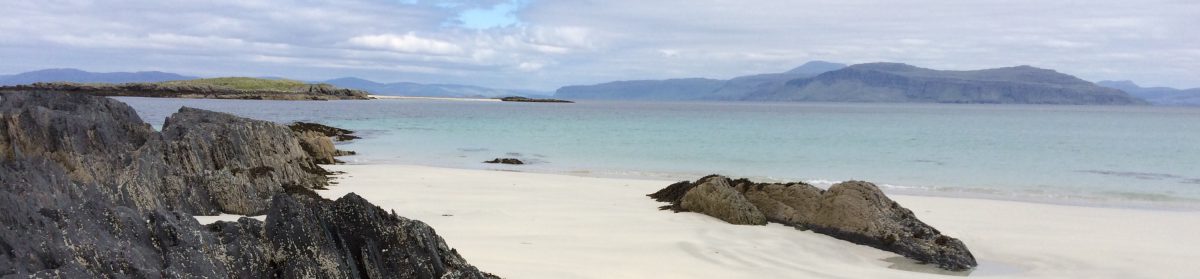
Another Place

Around the world klippers

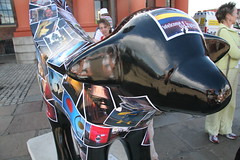
Superlambbanana

Superlambbanana

Another Place

Highland Games - Royal Highland Show

Reflections

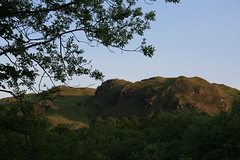
A Beatiful Evening in Rydal

Stagshore Gardens

Technorati Tags: ,

Morning walk tracking on gpsed.com

ReflectionsWell, having been nominated for an Lifestyle Blog award, I suppose I’d better write something about an IT Lifestyle (and yes, this is the last time I’m gong to mention it).

I try and do a walk before I start work on most days, it’s a body fitness thing mainly, but it’s also good for the brain.

Recently I’ve been trying to estimate how much I walk. It’s too easy to short-change myself when I’m busy so I wanted something that I couldn’t kid.

I didn’t want to spend any money, because I’m cheap, so I wanted to use what I already had available. Then one of colleagues pointed out gpsed.com, I’m not sure whether it was Steve or Stu so I’ll credit both of them.

gpsed.com has a free client for the BlackBerry, and I have a Blackberry, so that met the criteria of free. It allows me to upload my data for the whole world to see, making it impossible to cheat myself on how far I’ve actually walked.

So I’ve uploaded some of my walks:

There you go, you all know how far I walk, or do you? I’m a bit dubious about the actual distances, the client on my BlackBerry says that I did 2.7 miles this morning, but gpsed.com says that I did 2.7 km. I’ll have to try and work out which is correct at some point, it makes a big difference.

The other thing I’ve not been able to work out is how to show you all of the walks together on one map. I can see them all together, but there doesn’t appear to be a URL for me to show them to you.

The next thing to work out is how to record how many times I do each walk. Could be a mash-up opportunity I think.

The other thing I’ve done is to start the tracking a short distance from my house, I don’t want the whole world knowing exactly where I live.

Technorati tags: ,

IT Blog Awards 2008 – I'm on a shortlist

Hi JimmyMuch to my amazement, I was informed today that I have been shortlisted for the Computer Weekly IT Blog Awards 2008 in the IT Lifestyle category.

When I found out I expected the shortlist to be quite long, but actually I’m one of only 10.

So go on, be a dear, vote for me.

 
(Thanks for nominating me James)

The death of the "classical geeks"

A quote from ReadWriteWeb:

Today, there still may be plenty of businesses employing ‘classic geeks’ in their I.T. Department, but that’s about to change. Don’t misunderstand – the world will always need a good engineer, but the I.T. leaders of tomorrow – the ones guiding the business in the use of their computer resources, the ones working with the CEOs to execute the vision and direction via information technology – they will no longer be what we think of as the classic ‘computer geek.’ You know the type – the stereotypical introvert, who’s more comfortable behind the glow of computer screen than interacting with the rest of the human race. The one who likes to speak in acronyms that only he or she understands. The ones who know how to do everything from a command prompt. These folks will be a dying breed…at least around the office. Instead, tomorrow’s computer ‘geek’ will be a true member of the business team as opposed to the mysterious man behind the curtain who you only notice when something goes wrong.

Instead, tomorrow’s computer “geek” will be a true member of the business team as opposed to the mysterious man behind the curtain who you only notice when something goes wrong. So what does the “new geek” need to know to run tomorrow’s I.T. Department? An entirely new skill set, as it turns out.

It then goes on to talk about the shift to “Enterprise 2.0”, “Cloud Services”, “The Mobile Workforce” and “A Self Provisioning User Base”. I’m not sure that the titles are as important as recognising the general shift away from in-house provisioned and in-house constrained services to services that are leveraged globally and have few constraints.

I speak to many I.T. people, because I’m an I.T. person and very few of them see that there is a change lurking just over the other side of that hill over there. A change that isn’t going to swoop down in a huge rampage, but is going to work under the radar and change their lives without them even knowing it. The ones who choose to go with it and to become valuable to their customers within the business will thrive, those who hide behind existing policies and standards will have their value steadily eroded until their value is difficult to see.

Change shouldn’t bring fear, we are used to it, we do it every day, we just need to recognise it and embrace it. As I.T. people we can, at least, see that the change is there. Business people, in general, have no idea about the change that is coming their way. Security organisations, as an example, will have massive changes to make, the old rules will no longer be valid. I know of organisations where there has been a huge backlash against the security organisation when they have insisted on locking down Internet provided Instant Messaging. There view was that it was an unnecessary security risk, the business’s view was that it was essential to operations, user innovation had overtaken them. It’s just one example of many of the things that are going to occur.

It’s just one small example of the mind-set change that will need to take place. Organisations that don’t change will themselves find it difficult to survive, those that go with the changes will thrive.

Today is Monday, it’s the start of a new week, perhaps now is as good a time as any to start embracing some change.

The five P's of IT

A quote from Robert X. Cringely to ponder on this morning:

The five P’s of IT are Pride, Prejudice, Politics, Price, and Performance, with the last two being by far the least important.

Anyone like to disagree?

Playing with Typepad on my Blackberry

There’s a new application on my blackberry today – typepad. It’s an interesting idea. Not sure how much I will use it but it’s interesting all the same. There doesn’t even seem to be a way of breaking paragraphs?

My Tools: Twitter & Twhirl

Jimmy and GrandadI suspect that some people might struggle with me calling Twitter a tool, but that’s what it is. For me it certainly fits into the category of “anything used as a means of accomplishing a task or purpose”.

What purpose does Twitter help me accomplish?

The main purpose it help me accomplish is the massively important one of social connections and network building. The people that Twitter allows me to interact with are between 10 and 1000 miles away from where I am sitting. I’m not working on a project with these people so I have no need to be in regular contact. But there is real value in interacting.

There are real gems in the information that people share. My organisation, like many others, has a very string informal structure made up of many loosely coupled networks of people all interacting to get things achieved. Twitter is absolutely fabulous for this. I know who is connecting with who, I see who is interacting with who, I get to interact.

Twitter has become my virtual coffee machine, or my virtual office foyer. It’s the place where I catch-up with people.

The problem I have with Twitter is explaining this to other people. This video has helped some people get their head around it, but to be honest, it’s one of these things that you have to see.

I’m not sure I would use Twitter if it wasn’t for a client tool keeping me interested. My current tool is twhirl.

Not really sure how I settled upon twhirl, but I’m very pleased that I did. It has a few foibles but does what I need it to do.

A browser based interface is OK, but it requires you to go there, it requires you to go and to see. If something is expecting me to go and look then it will be disappointed, it doesn’t really matter what it is. A client based tool goes and does the looking for me and tells me when there is something worth looking at. It also means that I can write my own tweets in a micro-blog manner with the minimum of disruption.

Safari Install – my new best friend

Jimmy and Grandad try to use the computer (for Facebook)This screen is becoming my new best friends – it is following me around wherever I go. I keep telling it to quit, but it just keeps coming back. I can’t decide whether it’s because it loves me too much, or because it’s obsessing on me. I’m starting to feel a little uncomfortable with the level of attention it is giving me.

As I think about it right now it’s starting to scare me. Why does it want to be around so much? It’s like a drug dealer pushing cocaine or an over enthusiastic beggar.

It’s time to get rid of it forever, it’s time to put it into the list of Ignored Selected Updates.